
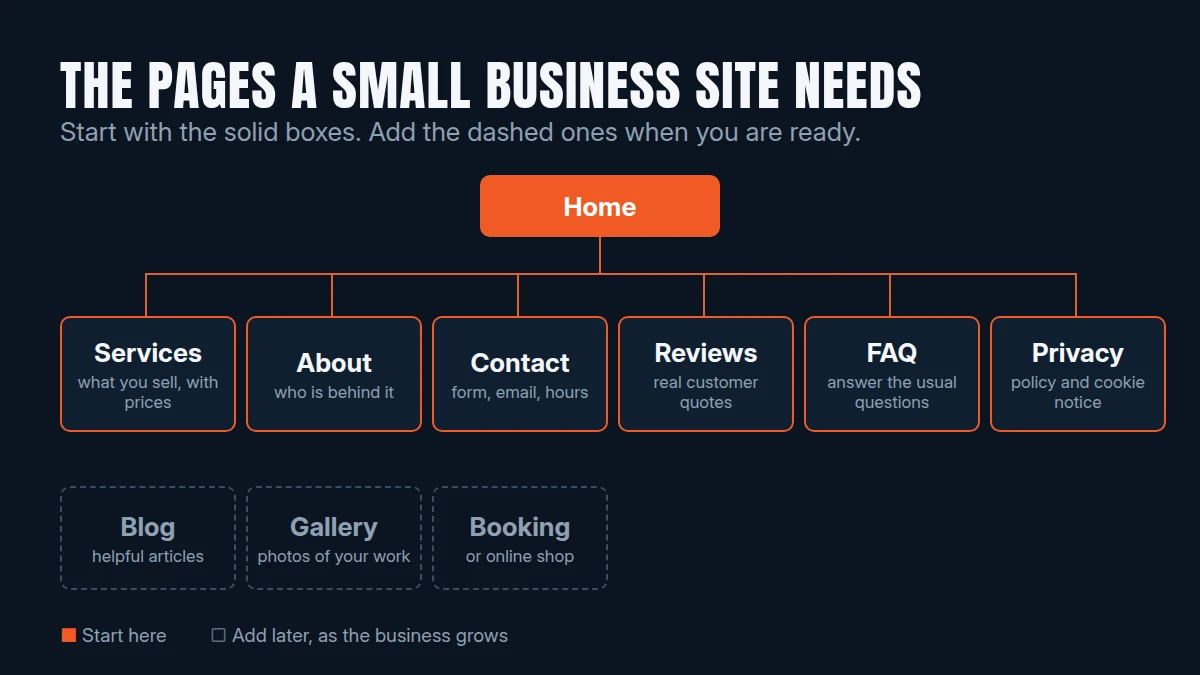
The best small business website is not the biggest one. It is the one that answers a customer's questions quickly: what do you do, can I trust you, and how do I get in touch? Here are the pages that do that job, and the extras that suit different kinds of business.
The pages almost every business needs
- Home. Say what you do, who for and where, in the first few lines. Add one clear next step, such as a button to get a quote or book.
- Services or products. What you sell, with prices or “from” prices if you can. If you offer several services, give each its own page. It helps visitors, and it helps people searching for that service find you.
- About. Who is behind the business. People buy from people, so a photo and a short story go a long way.
- Contact. A form, an email address, and your opening hours or service area. Make it easy to find from every page.
- Reviews or testimonials. Real quotes from real customers, on the home page or their own page.
- FAQ. Answer the questions you are asked every week. It saves you time and removes doubts before someone enquires.
- Privacy policy. If your site collects personal data, such as a contact form or analytics, you need to tell people what you do with it. If you use non-essential cookies, you also need a cookie notice that asks for consent.
Business details you should show
If you run a limited company, UK rules require your website to show certain details, including your registered company name, company number and registered office address. Sole traders have different requirements. Check the current guidance on GOV.UK for your type of business, and put the details in your footer so they appear on every page.
What to add for your type of business
- Restaurants and bars: a clear menu, opening hours, and either table booking or an order button. See our fine dining and casual restaurant and bar templates.
- Hotels and guest houses: a page for each room type, amenities, a photo gallery and booking. See our hotel template.
- Hair, beauty and barbers: a service menu with prices and a way to book, ideally per stylist. See our personal care template.
- Builders and trades: a gallery of finished projects and a simple quote request form. See our construction template.
- Solicitors and professional firms: a page for each area of work, a team page and client testimonials. See our legal firm template.
- Shops: category pages, product pages and a basket. See our boutique fashion and fast fashion templates.
What you can leave until later
You do not need everything on day one. A tidy five to eight page site that loads fast and works on a phone beats a sprawling one that is half finished. A blog, a large shop catalogue or extra landing pages can all be added once the basics are working and you know what customers ask for.
Make the pages easy to find
- Give every page a clear title and a short description that says what it is about.
- Use the words your customers use, such as “hair salon in Chester” rather than clever slogans.
- Link between related pages, for example from a service to the contact page.
- Set up a free Google Business Profile and link it to your website.
A quick checklist
- Home, services, about and contact pages are done
- Reviews and an FAQ are in place
- Privacy policy and cookie notice are live
- Business details are in the footer
- Every page works well on a phone
- Contact details and opening hours are correct
The bottom line
Start with the pages that answer your customers' questions, add the extras that match your business, and grow from there. Not sure what you need? Try our instant quote tool to see what a site would cost, or read how much a small business website costs in the UK.